Have you ever wished for a simple way to make your website faster, more accessible, and SEO-friendly? Enter “Lighthouse”, Google’s all-in-one audit tool!
What is Lighthouse?
Lighthouse is a free, open-source tool from Google designed to evaluate your website’s performance, accessibility, SEO, and adherence to web best practices. With its user-friendly interface and powerful insights, Lighthouse is a must-have for web developers, designers, QA teams, marketers, and project managers. By addressing its recommendations, you can significantly improve your website’s rankings and user experience.
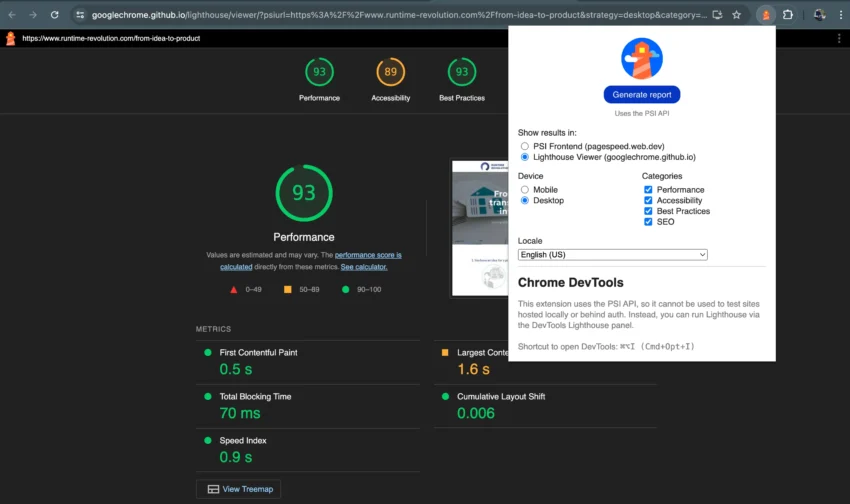
Lighthouse makes a strong first impression with its intuitive and straightforward interface. Simply choose the type of audit you want, click start, and Lighthouse does the heavy lifting. In minutes, it delivers actionable recommendations to enhance your site’s performance, accessibility, and SEO.
Installation and Setup
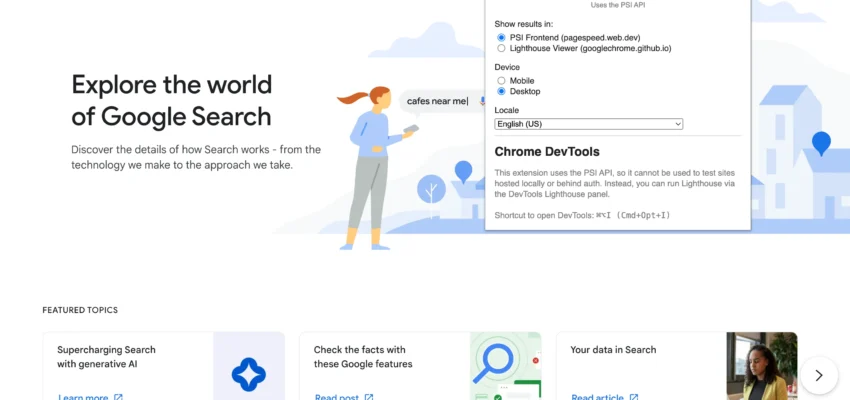
Installing Lighthouse is a breeze. Add it as a browser extension for Chrome, Firefox, or other major browsers, or use it directly through Chrome DevTools. No complex configurations or technical expertise required. It integrates seamlessly into your browser, making it accessible even for beginners.
Clean, organized, and user-friendly, the Lighthouse interface walks you through each audit category. It provides:
- A clear breakdown of performance scores (e.g., loading speed, interactivity).
- Accessibility checks for issues like insufficient color contrast and missing alt text.
- SEO audits to optimize meta descriptions and header tags.
- Best practice evaluations to flag security vulnerabilities and other issues.
While most insights are easy to follow, some advanced recommendations—like minimizing main-thread work or serving assets via a CDN—may require additional technical knowledge.
Report Options
Lighthouse offers two reporting options:
- PageSpeed Insights: Directs you to Google’s online PageSpeed tool for additional analysis.
- Lighthouse Viewer: Available directly in DevTools, offering a comprehensive overview of your website’s health.
Using both can provide a broader perspective and help you fine-tune your site even further.
Here are some standout features of Lighthouse:
Performance Audits
- Measures load times, interactivity, and stability.
- Highlights areas to enhance speed and user experience.
Accessibility Audits
- Ensures your site is usable by everyone, including users with disabilities.
- Flags issues like missing alt text and poor color contrast.
Best Practices
- Checks adherence to web development standards.
- Identifies problems like console errors and incorrect image aspect ratios.
SEO Audits
- Evaluates how well your site is optimized for search engines.
- Points out common issues like missing meta tags.
PWA Evaluation
Assesses your site’s potential as a Progressive Web App for a native app-like experience.
Customizable Audits
Allows you to focus on specific areas like performance, accessibility, or SEO.
Detailed Reports
Offers clear explanations and actionable recommendations.
DevTools Integration
Works directly within Chrome DevTools for a seamless experience.
Pros and Cons
Pros:
- Comprehensive audits covering multiple aspects of web performance.
- Easy-to-use interface suitable for beginners and experts alike.
- Free and regularly updated by Google.
Cons:
- Some advanced features have a learning curve.
- Primarily designed for Chrome, with limited functionality in other browsers.
- Detailed reports can be overwhelming for newcomers.
Who Can Benefit from Lighthouse?
Lighthouse is a versatile tool that caters to various roles:
- Web Developers: Regularly check your code for best practices.
- Designers: Ensure your designs meet accessibility standards.
- QA Teams: Integrate audits into your testing workflows.
- Marketers: Optimize SEO to boost visibility.
- Project Managers: Track overall website health and prioritize improvements.
Conclusion
Lighthouse has become an indispensable tool for my web projects. Whether you’re a seasoned developer or a non-technical team member, Lighthouse offers insights that can elevate your website’s performance, accessibility, and SEO. Think of it as your digital companion for building faster, more user-friendly, and search engine-optimized websites.
Start using Lighthouse today and watch your site shine brighter than ever before!
Share this post: